
Bookmark
Insert bookmarks to be referenced by the Reference binding
Complexity: Intermediate — requires basic knowledge of JSON arrays and data structure paths.
Introduction
The Bookmark binding is used to mark or “surround” specific parts of a document that can later be referenced by other bindings, such as the Reference binding.
This makes it possible to dynamically build elements like a Table of Contents, where bookmarks act as anchors for sections or headings that you want to include.
Bookmarks are invisible (hidden) in the generated document but serve as named markers that identify key content areas.
Bookmark binding overview
The Bookmark binding creates a named bookmark around a section of text or a paragraph.
These bookmarks can then be collected and referenced by the Reference binding, which reads an array of strings that the Bookmark bindings point to, in order to dynamically include them in another location in the document.
The Bookmark binding can wrap around multiple paragraphs but the bookmark that the binding creates, will only surround the first paragraph.
The combination of these 2 binding types makes it possible to build:
- A Table of Contents where each entry links to a bookmarked section.
- A Summary page referencing specific content blocks.
- Dynamic navigation within a single document.
When adding a Bookmark binding in a recipe through the binding editor, the following dialog is shown:
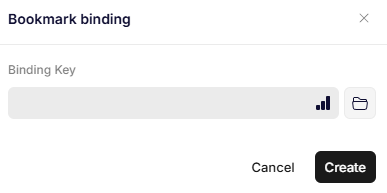
Bookmark binding
Parameters
Binding Key
Specifies the path to a single bookmark in an array that will later be referenced by a Reference binding.
A Reference binding can then use this array to dynamically include all bookmarks listed in that array (for example, when building a table of contents).
Example array:
{
  "myBookmarkCollection": [
    "Bookmark One",
    "Bookmark Two"
  ]
}
Updated 12 months ago