
Dynamic table
Insert dynamic tables
Complexity: Advanced - Requires extensive JSON setup and understanding of data structures.
Introduction
The Dynamic table binding lets you dynamically control the structure and content of tables in your document.
You can use it to define how many rows or columns a table should have, whether certain columns are visible, and whether column widths should adjust automatically.
This binding is useful when you need flexible tables that adapt to varying amounts of data — for example, generating reports, data summaries, or lists that change per document.
Dynamic table binding overview
The Dynamic table binding defines table properties such as column visibility, column count, and row count.
It can also control whether the table keeps its total width when columns are added or removed.
When adding a Dynamic table binding in a recipe through the binding editor, the following dialog is shown:
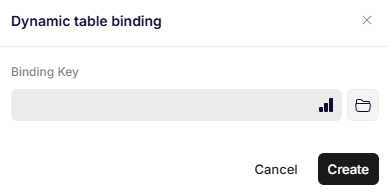
Dynamic table binding
Parameters
Binding Key
Specifies the JSON path that points to the object containing the table configuration.
The object can include the following optional properties:
Options (object, optional)
Defines general table-level properties.
| Property | Type | Description |
|---|---|---|
| KeepTotalWidth | boolean | Set to true to preserve the table´s total width after processing. If set to false or null, the width can adjust dynamically. |
Headers (array, optional)
Defines the number of columns and their visibility.
Each element in the array represents a column and can contain the following properties:
| Property | Type | Description |
|---|---|---|
| Visible | boolean | Controls whether the column is shown or hidden. If true, the column is visible; if false, it’s hidden. |
| KeepWidth | boolean (optional) | Keeps the column’s width the same after processing. Useful when resizing columns. |
If the Headers array has fewer items than existing columns, the extra columns are hidden.
If it has more items, the last column is repeated as many times as needed.
Rows (array, optional)
Defines how many rows the resulting table should contain and what each row includes.
- The first object in the list represents header values.
To keep existing headers unchanged, include an empty object (). - If the list has more objects than the existing number of rows, the last row is duplicated as needed.
If it has fewer, extra rows are removed. - Each object can include any number of key-value pairs representing data for each row.
- If the Rows array is empty or contains no dynamic content, the entire table is hidden.
Example
The following JSON example defines a table that keeps its total width, sets visibility for specific columns, and defines both headers and rows dynamically:
{
  "tableData": {
    "Options": {
      "KeepTotalWidth": true
    },
    "Headers": [
      {
        "Visible": true
      },
      {
        "Visible": "ValueFromMyData"
      },
      {
        "Visible": "Value2FromMyData",
        "KeepWidth": true
      }
    ],
    "Rows": [
      {
        "H1": "Header value 1",
        "H2": "Header value 2"
      },
      {
        "L1": "Second row value",
        "L2": "Second row value 2"
      }
    ]
  }
}
In this configuration:
- The table’s total width remains unchanged.
- Three columns are defined with custom visibility rules.
- Two rows are created: one for headers, one for data.
Updated 12 months ago