
Format
Set background and text colors
Complexity: Intermediate – Requires basic knowledge of JSON for configuration.
Introduction
The Format binding lets you set text and background color dynamically...
Introduction
The Format binding lets you set the background color, text color, and style of a specific area in a document.
You can use it to dynamically control how your text looks when a document is generated.
Although the Format binding isn’t as commonly used as other types, it’s useful when you want to highlight text or apply conditional formatting — for example, changing color based on status or category.
Format binding overview
The Format binding applies formatting to the content inside the binding in your template.
When adding a Format binding in a recipe through the binding editor, the following dialog is shown:
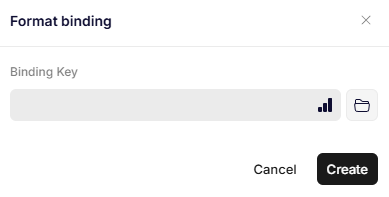
Format binding
Parameters
Binding Key
A path to a JSON object containing some or all of the following properties:
{
  "ForegroundColor": "FF7A00",		// Can be R,G,B or HEX
  "BackgroundColor": "0,122,255",	// Can be R,G,B or HEX
  "Style": "Heading 1",			// Word style to apply
  "FontSize": "14.5"			// Number or string
}- ForegroundColor – sets the text color.
- BackgroundColor – sets the background color.
- Style – applies a specific Microsoft Word style.
- FontSize – defines the font size, supporting integers and 0.5 increments.
You can use either RGB values (e.g., "0,122,255") or HEX codes (e.g., "FF7A00") for colors.
The Format binding works with both default and custom Word styles.
Updated 12 months ago