
Page Layout
Define page layout of documents dynamically
Complexity: Intermediate - requires basic knowledge of JSON and data structures.
Introduction
The Page layout binding lets you control the layout of the output document dynamically.
It’s useful when you want to automatically configure layout settings such as page orientation, margins and page size.
Page layout binding overview
The Page layout binding configures the layout settings of the document.
The supported settings are:
- Orientation
- Margin (Top, Right, Bottom, Left)
- Size
Both the Margin and Size setting can be specified in centimeters for height and width as well as a string representing the most common layouts.
The supported layouts are:
- Margin
- Normal
- Narrow
- Wide
- Moderate
- Size
- A3
- A4
- A5
- A6
- Letter
- Tabloid
- Legal
- Statement
- Executive
When adding a Page layout binding in a recipe through the binding editor, the following dialog is shown:
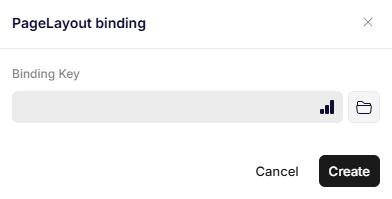
Page layout binding
Parameters
Binding Key
Specifies the JSON path to the object that contains the page layout data.
This object must contain named properties as mentioned above in a certain structure, so the binding can configure the document correctly.
A couple of examples of the structure can be seen here:
{
  "pageLayout1": {
    "Orientation": "Landscape",
    "Margin": {
      "Top": 1.25,
      "Right": 2.55,
      "Bottom": 1.25,
      "Left": 2.55
    },
    "Size": {
      "Width": 20,
      "Height": 30
    }
  },
  "pageLayout2": {
    "Orientation": "Portrait",
    "Margin": "Narrow",
    "Size": "A4"
  }
}
Updated 11 months ago