
Table format
Dynamically control content in static table structures
Complexity: Advanced - Requires extensive JSON setup and understanding of data structures.
Introduction
The Table format binding lets you control the visibility of table columns and set data for a table, similar to the Dynamic table binding.
However, unlike Dynamic table, the Table format binding doesn’t repeat rows or change the number of columns. Instead, it provides a simple way to show or hide existing columns and populate data within a fixed table structure.
This binding is ideal when your table layout should remain static, but you want to conditionally hide columns or adjust their contents.
Table format binding overview
The Table format binding applies its scope to the entire table.
It doesn’t behave as a repeater. Instead, it updates visibility and content for the table’s existing structure.
Key differences from the Dynamic table binding:
- The table keeps the same number of columns and rows; no dynamic resizing occurs.
- If there are fewer headers in the Headers array than columns in the table, unspecified columns remain visible by default.
- If there are more headers in the Headers array than columns in the table, visibility is only applied to the columns that exist, no new columns are added.
- The number of rows is fixed and not adjusted dynamically.
When adding a Table format binding in a recipe through the binding editor, the following dialog is shown:
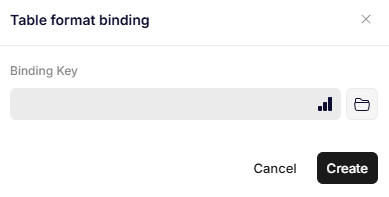
Table format binding
Parameters
Binding Key
Specifies the JSON path to the object that defines the table configuration.
The structure of this object follows the same model as in the Dynamic table binding.
Updated 12 months ago