
Repeat table cells
Insert table cells
Complexity: Advanced - Requires extensive JSON setup and understanding of data structures.
Introduction
The Repeat table cells binding lets you dynamically insert table cells into a table in your document.
It’s useful when you need to display a list or collection of values across multiple table cells — for example, when showing tags, product codes, or multiple names in a row.
Repeat table cells binding overview
The Repeat table cells binding inserts one table cell for each element in the cells array in the JSON object pointed to by the Binding Key. The binding must enclose the entire table.
The first cell in the table acts as a template — it’s repeated once for every item in the cells array.
The number of columns in the table is preserved, so when the number of cells exceeds the table’s width, new cells are automatically added to the next row.
When adding a Repeat table cells binding in a recipe through the binding editor, the following dialog is shown:
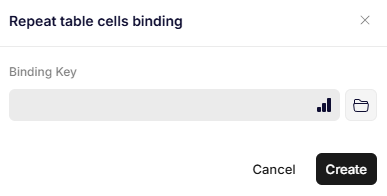
Repeat table cells binding
Parameters
Binding Key
Specifies the path to the JSON object that defines how the table cells should be generated.
The JSON should follow this structure::
{
  "options":{
    "direction": "lrtb"
  },
  "cells":[{"testkey":"testvalue"}]
}- The
optionsobject is currently static and should always include"direction": "lrtb". - The
cellsobject contains the objects used for creating the table cells. Each object in the array corresponds to one repeated cell.
Updated 12 months ago