
Nodes
Overview of nodes
Introduction
A node is a building block in your Information Tree.
Each node defines both the structure and the input method for a specific piece of information.
For example, a node can be:
- Text
- Number
- Date
- Group
- Repeat
- Select
- Table
- Image
When you build your Information Tree, you add nodes to define what data you need and how you want to collect it. Each node controls how the data is structured and how you interact with it.
Add a node
You can add a node to the Information Tree by clicking the plus (+) icon in the top-right corner of the Information Tree.
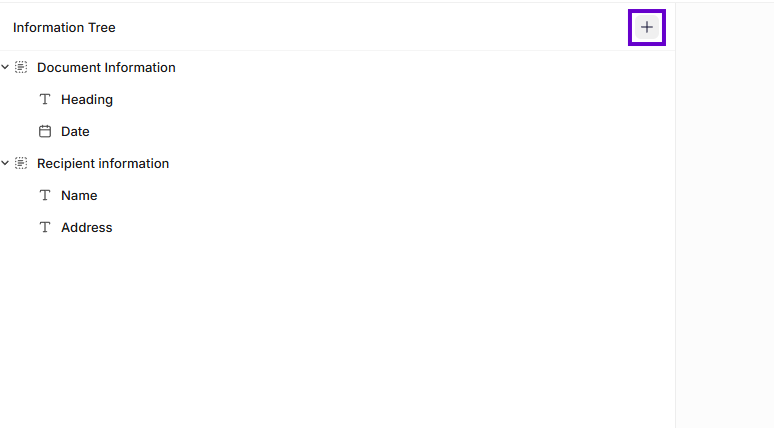
Add a node to the Information Tree
This will insert a Section node
Use a node in a template
After you configure a node, you can insert it into your template.
Click the Insert button or drag the node from the Information Tree and drop it into the template where you want the value to appear.
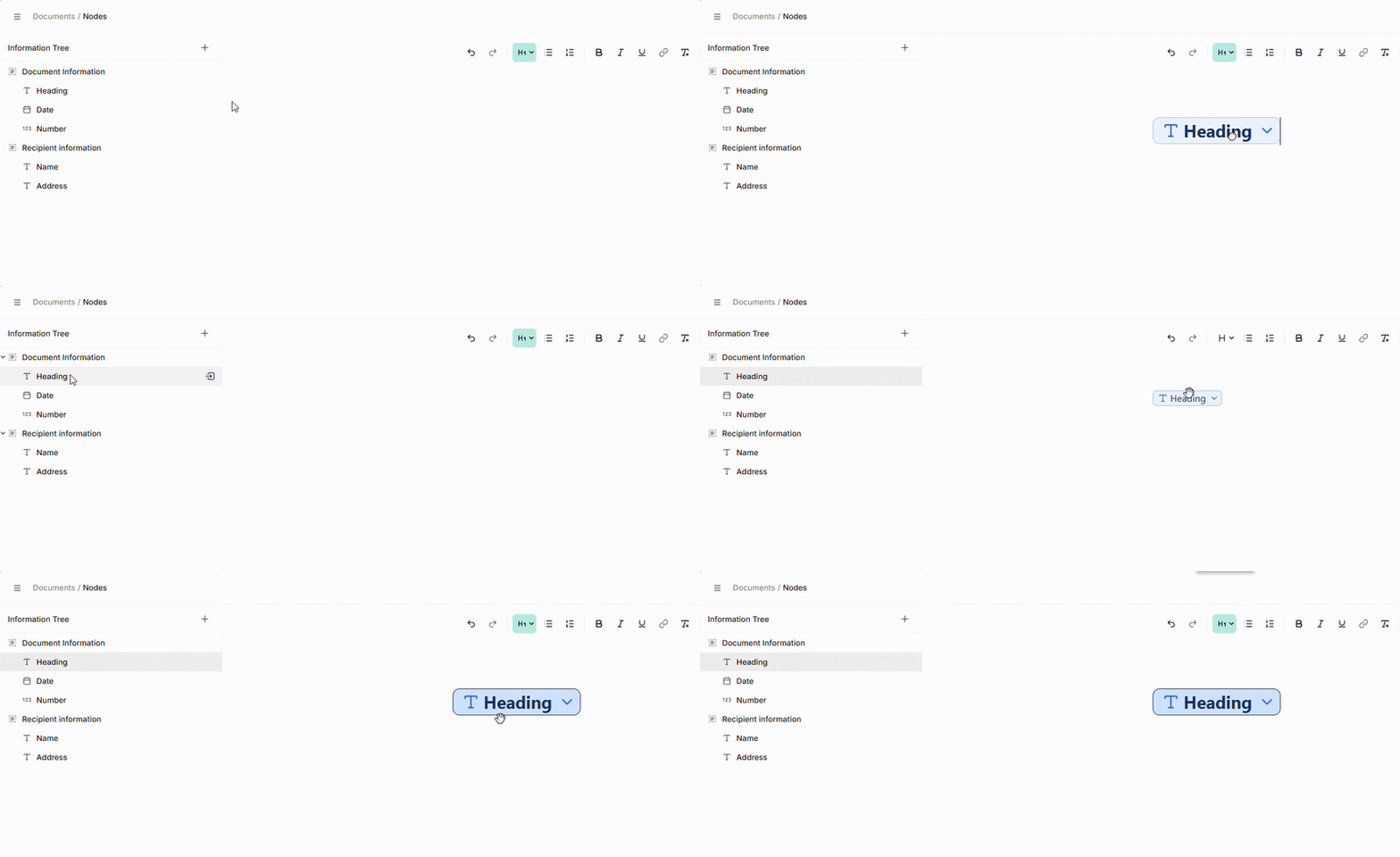
Inserting node to template
When you build your Information Tree, you add nodes to define what data you need and how you want to collect it. Each node controls how the data is structured and how you interact with it.
Converting nodes
Some nodes allow conversions, meaning you can convert them to a different type on the fly.
You do this by right-clicking on the node and choosing the type you want to convert it into.
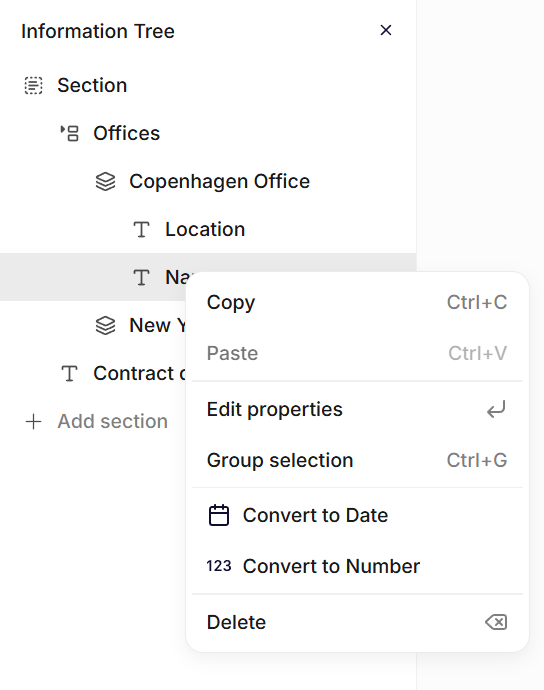
Converting a node
The following conversions are supported:
| From | To |
|---|---|
| Text | Date, Number |
| Date | Text |
| Number | Text |
| Repeat | Table |
| Table | Repeat |
Updated 25 days ago